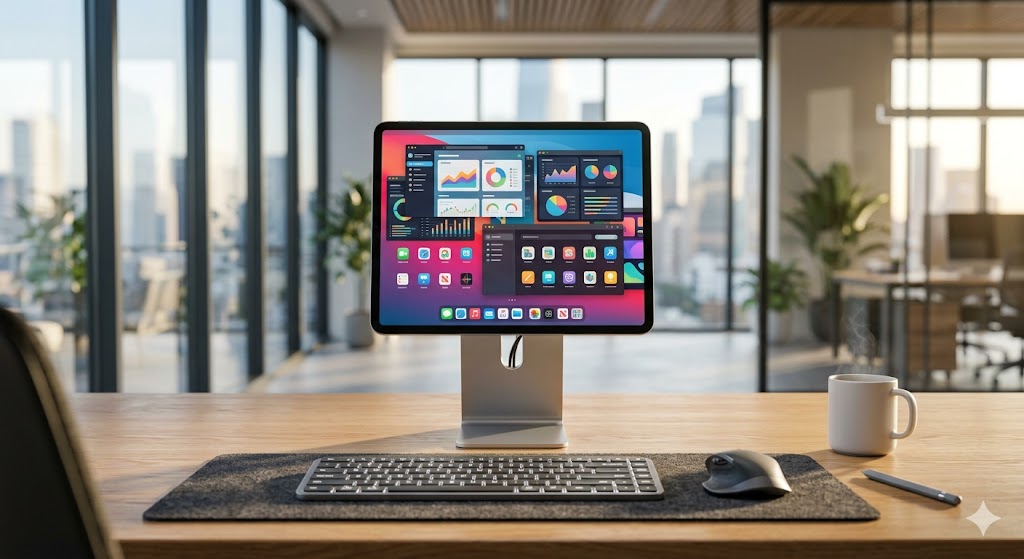
ปลดล็อกศักยภาพการทำงานยุคใหม่: เปลี่ยน iPad คู่ใจให้เป็น Windows PC ประสิทธิภาพสูงด้วย Cloud Desktop
Unlocking Hybrid Work Potential: Transform Your iPad into a High-Performance Windows PC via Cloud Desktop
解锁混合办公潜力:通过云桌面将您的 iPad 转化为高性能 Windows PC
ในโลกการทำงานแบบ Hybrid ที่ความคล่องตัวคือหัวใจสำคัญ หลายองค์กรเริ่มตั้งคำถามว่า เราสามารถใช้ iPad ที่มีหน้าจอสวยงามและพกพาสะดวก มาเป็นเครื่องมือทำงานหลักแทนที่แล็ปท็อปที่หนักอึ้งได้หรือไม่ คำตอบคือได้ และทำได้ดีกว่าที่คิดด้วยเทคโนโลยี Cloud Desktop ที่เปลี่ยนแท็บเล็ตของคุณให้กลายเป็น Windows PC เต็มรูปแบบในพริบตา
ทำไม Cloud Desktop ถึงเป็นจิ๊กซอว์ตัวสุดท้ายของออฟฟิศยุคใหม่
การเปลี่ยน iPad ให้เป็น Windows PC ไม่ใช่แค่การรีโมทเข้าเครื่อง แต่คือการยกเอาพลังประมวลผลระดับ Data Center มาไว้บนมือคุณ สำหรับองค์กรที่ต้องการ ยกระดับประสิทธิภาพองค์กรด้วยการเช่า Windows Cloud PC ลดต้นทุนฮาร์ดแวร์ไอทีในระยะยาว นี่คือโซลูชันที่ตอบโจทย์ที่สุด เพราะคุณไม่ต้องกังวลเรื่องการอัปเกรดสเปกฮาร์ดแวร์รายปีอีกต่อไป
| ฟีเจอร์ | iPad เดิมๆ | iPad + Cloud Desktop |
|---|---|---|
| ระบบปฏิบัติการ | iPadOS | Windows 11 Pro |
| การรันโปรแกรมเฉพาะทาง | จำกัด | รัน Express, ERP, Python ได้เต็มรูปแบบ |
| ความปลอดภัย | แอปพลิเคชัน | ระดับ Data Center (NT/CAT IDC) |
| การเข้าถึง | เชื่อมต่อ Wi-Fi ทั่วไป | Public IP แท้ 100% ตลอด 24 ชม. |
การประเมินความคุ้มค่าและการลงทุน
สำหรับธุรกิจขนาดกลางถึงใหญ่ การลงทุนใน Cloud PC เริ่มต้นที่ 800 - 1,500 บาทต่อเดือนต่อเครื่อง ซึ่งถือว่าคุ้มค่ามากเมื่อเทียบกับการซื้อแล็ปท็อปประสิทธิภาพสูงที่เสื่อมสภาพตามกาลเวลา โดยเฉพาะกับ Naxza ที่ให้บริการ Bare Metal 100% วางเครื่องที่ตู้ CAT IDC มั่นใจได้ว่าทุกการเชื่อมต่อเสถียรและปลอดภัยสูงสุด
Pro Tip จากวิศวกร
หากคุณต้องการประสิทธิภาพสูงสุดในการทำงานผ่าน iPad ควรเลือกใช้แอปพลิเคชัน Remote Desktop ที่รองรับโปรโตคอลความเร็วสูง และควรเชื่อมต่อผ่านโครงข่าย 5G หรือ Wi-Fi 6 เพื่อลดค่า Latency ให้ใกล้เคียงกับการนั่งทำงานหน้าเครื่องจริงมากที่สุด
FAQ: คำถามที่พบบ่อย
- Q: Cloud Desktop รองรับโปรแกรมบัญชีหรือไม่? A: รองรับเต็มรูปแบบเนื่องจากเป็น Windows 11 Pro แท้ 100%
- Q: ต้องมีทักษะไอทีสูงไหมในการติดตั้ง? A: ไม่จำเป็น ระบบของ Naxza ถูกออกแบบให้พร้อมใช้งานทันทีที่คุณได้รับข้อมูลการเชื่อมต่อ
- Q: ข้อมูลจะปลอดภัยหรือไม่? A: ข้อมูลทั้งหมดถูกเก็บไว้บนเซิร์ฟเวอร์ใน Data Center มาตรฐานสากล ไม่ได้เก็บไว้ในตัวเครื่อง iPad
In the modern era of hybrid work, mobility is paramount. Many organizations are now asking if an iPad—with its stunning display and portability—can replace a heavy laptop as a primary workstation. The answer is a resounding yes, thanks to high-speed Cloud Desktop technology that transforms your tablet into a fully functional Windows PC.
Why Cloud Desktop is the Missing Link for Modern Offices
Transforming your iPad into a Windows PC isn't just about remote access; it's about leveraging Data Center-grade computing power. For enterprises looking to optimize organizational efficiency by renting Windows Cloud PCs to reduce long-term IT hardware costs, this is the ultimate solution. You no longer need to worry about annual hardware upgrades.
| Feature | Standard iPad | iPad + Cloud Desktop |
|---|---|---|
| OS | iPadOS | Windows 11 Pro |
| Specialized Apps | Limited | Full support for Express, ERP, Python |
| Security | Application-level | Data Center Level (NT/CAT IDC) |
| Connectivity | General Wi-Fi | 100% Real Public IP 24/7 |
Investment and Cost-Effectiveness
For SMEs and large corporations, the investment for a Cloud PC starts at just 800 - 1,500 THB per month per unit. This is highly cost-effective compared to purchasing high-end laptops that depreciate over time. Naxza provides 100% Bare Metal solutions housed in CAT IDC, ensuring stability and maximum security for your operations.
Pro Tip from the Engineer
For the best performance when working via iPad, utilize a high-speed Remote Desktop protocol application and ensure your connection is via 5G or Wi-Fi 6 to minimize latency, making the experience feel just like sitting at a physical workstation.
FAQ
- Q: Does it support accounting software? A: Yes, it runs full Windows 11 Pro, compatible with all standard accounting software.
- Q: Is advanced IT skill required? A: No, Naxza systems are designed for immediate deployment.
- Q: Is my data secure? A: Yes, all data is stored on servers within international-standard data centers, not locally on your iPad.
在混合办公的新时代,灵活性是核心。许多企业开始思考,我们是否可以使用屏幕精美且携带方便的 iPad 取代沉重的笔记本电脑作为主要办公工具。答案是肯定的,通过高速云桌面技术,您可以瞬间将 iPad 转化为功能齐全的 Windows PC。
为何云桌面是现代办公室的最后一块拼图
将 iPad 转化为 Windows PC 不仅仅是远程控制,而是将数据中心级的算力置于您的手中。对于希望 提升组织效率并通过租赁 Windows 云电脑降低长期 IT 硬件成本 的企业来说,这是最理想的解决方案。您无需再担心每年的硬件升级问题。
| 功能 | 普通 iPad | iPad + 云桌面 |
|---|---|---|
| 操作系统 | iPadOS | Windows 11 Pro |
| 专业程序 | 受限 | 完全支持 Express, ERP, Python |
| 安全性 | 应用级 | 数据中心级 (NT/CAT IDC) |
| 连接性 | 常规 Wi-Fi | 100% 真实公网 IP 24/7 |
成本评估与投资建议
对于中大型企业,云电脑的投资成本仅为每月 800 - 1,500 泰铢,与购买随时间贬值的高端笔记本电脑相比,这具有极高的性价比。Naxza 提供 100% 的裸机(Bare Metal)方案,托管于 CAT IDC 机房,确保您业务运营的稳定性和最高安全性。
工程师的专业建议
为了在 iPad 上获得最佳工作性能,建议使用支持高速协议的远程桌面应用程序,并确保通过 5G 或 Wi-Fi 6 连接,以最大限度地降低延迟,从而获得与在物理工作站前办公几乎相同的体验。
常见问题解答 (FAQ)
- 问:它支持财务软件吗? 答:完全支持,因为它运行的是完整的 Windows 11 Pro。
- 问:安装需要高超的 IT 技术吗? 答:不需要,Naxza 的系统设计为即开即用。
- 问:数据安全吗? 答:安全,所有数据均存储在符合国际标准的数据中心服务器中,而非 iPad 本地。
ดีลเด็ดสินค้าไอทีที่ BaNANA Online 💻Best IT Deals at BaNANA Online 💻BaNANA Online 最佳 IT 优惠 💻
ช้อปสินค้าไอที สมาร์ทโฟน แก็ดเจ็ต ของแท้มีประกันTop destination for authentic computers, smartphones & IT accessories.购买正品电脑、智能手机和 IT 配件的首选地。