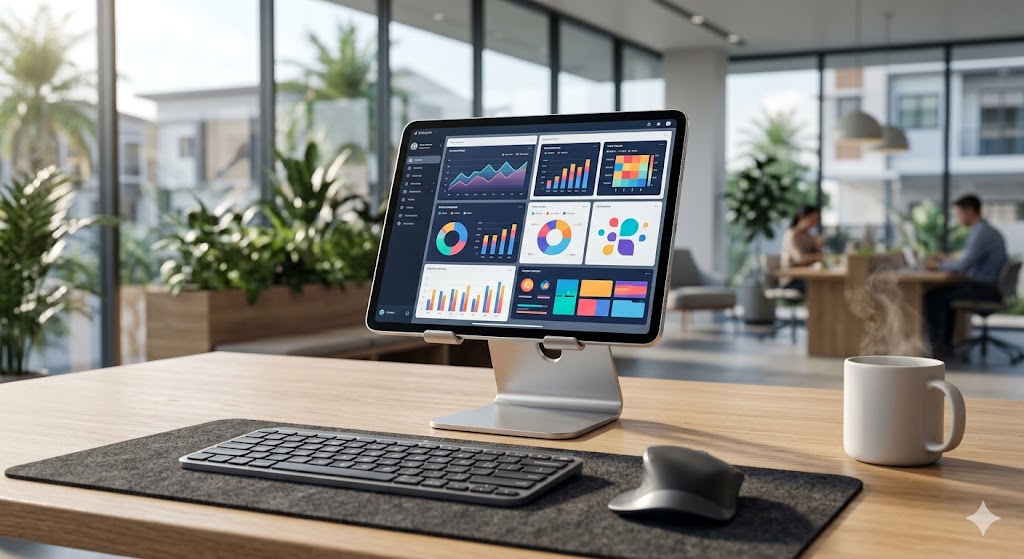
กลยุทธ์การเปลี่ยนผ่านสู่ Cloud PC สำหรับองค์กร เพื่อประสิทธิภาพการทำงานสูงสุดและปลอดภัย
Strategic Transition to Enterprise Cloud PC for High-Performance Computing and Security
企业级云电脑迁移战略:实现高性能计算与数据安全保护
ในยุคที่องค์กรต้องปรับตัวเข้าสู่การทำงานแบบ Hybrid การบริหารจัดการทรัพยากรไอทีให้มีความคล่องตัวสูงเป็นสิ่งสำคัญอย่างยิ่ง การหันมาใช้บริการเช่า Cloud PC สำหรับองค์กร รันโปรแกรมหนักลื่นไหล รองรับ Windows 11 พร้อมระบบความปลอดภัยข้อมูล จึงกลายเป็นโซลูชันที่ตอบโจทย์เจ้าของธุรกิจและฝ่ายไอทีที่ต้องการลดภาระการดูแลฮาร์ดแวร์แบบเดิม
ทำไม Cloud PC จึงเป็นจุดเปลี่ยนสำคัญสำหรับองค์กรยุคใหม่
การลงทุนใน Workstation ราคาแพงให้กับพนักงานทุกคนอาจไม่ใช่วิธีที่คุ้มค่าที่สุดอีกต่อไป การใช้ Cloud PC ช่วยให้พนักงานสามารถเข้าถึงซอฟต์แวร์ระดับสูงได้จากทุกที่ ผ่านหน้าจอ iPad หรือ Mac โดยไม่ต้องกังวลเรื่องสเปคเครื่องที่ปลายทาง
ตารางเปรียบเทียบ: การลงทุนในฮาร์ดแวร์ vs Cloud PC
| หัวข้อเปรียบเทียบ | ฮาร์ดแวร์ภายในองค์กร (On-Premise) | Cloud PC (Naxza) |
|---|---|---|
| งบลงทุนเริ่มต้น | สูง (CapEx) | ต่ำ (OpEx) |
| การบำรุงรักษา | พนักงานไอทีดูแลเอง | ผู้ให้บริการดูแลระบบ |
| ระบบปฏิบัติการ | Windows 11 Pro | Windows 11 Pro |
| ความปลอดภัย | ขึ้นอยู่กับระบบภายใน | Data Center ระดับมาตรฐาน |
หากคุณกำลังมองหาโครงสร้างพื้นฐานที่มั่นคงสำหรับธุรกิจ การเลือกเช่า Windows PC สเปคแรงสำหรับรันโปรแกรมบัญชี เป็นก้าวแรกที่ช่วยให้การทำงานมีความเสถียรและแม่นยำยิ่งขึ้น
คำแนะนำจากวิศวกร (Pro Tip)
ในการเลือกใช้ Cloud PC ควรให้ความสำคัญกับความเร็วของ Network Latency และการเลือกใช้บริการที่วางอยู่บน Data Center มาตรฐานระดับประเทศเช่นที่ NT (CAT IDC) เพื่อให้ได้ Public IP แท้ 100% ซึ่งเอื้อต่อการเชื่อมต่อระบบบัญชีและ ERP ได้อย่างราบรื่น
การประเมินงบประมาณและผลตอบแทน (Estimated Investment)
การเช่าบริการ Cloud PC ในปัจจุบันมีราคาเริ่มต้นที่ 800 ถึง 1,500 บาทต่อเดือนต่อเครื่อง ซึ่งถือว่าต่ำกว่าการจัดซื้อคอมพิวเตอร์ใหม่ถึง 60% เมื่อคำนวณรวมค่าเสื่อมราคาและค่าไฟตลอดอายุการใช้งาน
คำถามที่พบบ่อย (FAQ)
- Cloud PC รองรับการใช้งาน Windows 11 หรือไม่? ตอบ: รองรับเต็มรูปแบบ โดยเราใช้ Windows 11 Pro ที่มีความเสถียรสูง
- ข้อมูลใน Cloud PC ปลอดภัยแค่ไหน? ตอบ: ข้อมูลถูกเก็บในระบบ Data Center ระดับองค์กรที่มีการป้องกันการเข้าถึงจากภายนอก
- สามารถใช้กับงานประเภทใดได้บ้าง? ตอบ: เหมาะสำหรับรันโปรแกรมบัญชี (Express, ERP), ทำงานรีโมท, เปิดบอท, หรือรันสคริปต์ Python 24 ชม.
In the era of hybrid work, managing IT resources with agility is paramount. Transitioning to an enterprise-grade Cloud PC solution for running heavy software, supporting Windows 11, and ensuring robust data security has become the go-to strategy for business owners and IT departments looking to reduce traditional hardware overhead.
Why Cloud PC is a Game Changer for Modern Enterprises
Investing in expensive workstations for every employee is no longer the most cost-effective approach. Cloud PC allows employees to access high-end software from anywhere, using iPads or Macs, without worrying about the underlying hardware specifications.
Comparison: On-Premise Hardware vs. Cloud PC
| Feature | On-Premise Hardware | Cloud PC (Naxza) |
|---|---|---|
| Initial Investment | High (CapEx) | Low (OpEx) |
| Maintenance | In-house IT required | Provider managed |
| Operating System | Windows 11 Pro | Windows 11 Pro |
| Security | Internal system dependent | Data Center grade |
If you are looking for a stable infrastructure for your business, choosing high-performance Windows PC rentals for accounting software is the first step toward greater efficiency and operational precision.
Pro Tip from Engineering Experts
When selecting a Cloud PC provider, prioritize Network Latency and ensure the services are hosted at national-standard Data Centers like NT (CAT IDC) to obtain 100% genuine Public IPs, which are essential for seamless ERP and accounting system integration.
Estimated Investment
Current Cloud PC services typically start from 800 to 1,500 THB per month, significantly lower than purchasing new workstations when factoring in depreciation and electricity costs over the hardware's lifespan.
Frequently Asked Questions (FAQ)
- Does Cloud PC support Windows 11? Yes, we provide full support for Windows 11 Pro.
- How secure is the data on Cloud PC? Data is stored in enterprise-grade Data Centers with strict access controls.
- What tasks is it suitable for? It is ideal for accounting software (Express, ERP), remote work, bot automation, or running Python scripts 24/7.
在混合办公时代,高效管理IT资源至关重要。采用企业级云电脑解决方案来运行高负载程序、支持Windows 11并确保数据安全,已成为企业主和IT部门降低传统硬件负担的首选策略。
为什么云电脑是现代企业的关键转折点
为每位员工购买昂贵的工作站不再是性价比最高的方案。云电脑使员工能够通过iPad或Mac随时随地访问高端软件,而无需担心终端硬件配置。
对比表:本地硬件 vs 云电脑
| 对比维度 | 企业本地硬件 | 云电脑 (Naxza) |
|---|---|---|
| 初始投资 | 高 (CapEx) | 低 (OpEx) |
| 维护成本 | 内部IT负责 | 服务商负责 |
| 操作系统 | Windows 11 Pro | Windows 11 Pro |
| 安全性 | 依赖内部系统 | 数据中心级防护 |
如果您正在寻找稳定的业务基础架构,选择高性能Windows PC租赁来运行会计软件是提高业务稳定性和精准度的第一步。
工程师建议 (Pro Tip)
在选择云电脑服务商时,应优先考虑网络延迟,并确保服务托管在国家级数据中心(如NT/CAT IDC),以获取100%真实的公网IP,这对顺畅连接ERP和会计系统至关重要。
投资预算评估
目前的云电脑服务起价通常为每月800至1500泰铢,与购买新办公电脑相比,考虑到折旧和电费成本,其长期运营成本可降低约60%。
常见问题解答 (FAQ)
- 云电脑支持Windows 11吗? 是的,我们全面支持Windows 11 Pro系统。
- 云电脑的数据安全性如何? 数据存储在企业级数据中心,具有严格的访问控制。
- 适合哪些应用场景? 适用于运行会计软件(如Express, ERP)、远程办公、自动化脚本及24小时Python脚本运行。
ดีลเด็ดสินค้าไอทีที่ Lenovo TH 💻Best IT Deals at Lenovo TH 💻Lenovo TH 最佳 IT 优惠 💻
สั่งซื้อแล็ปท็อปและคอมพิวเตอร์สเปคแรงจาก Lenovo โดยตรงTop destination for authentic computers, smartphones & IT accessories.购买正品电脑、智能手机和 IT 配件的首选地。