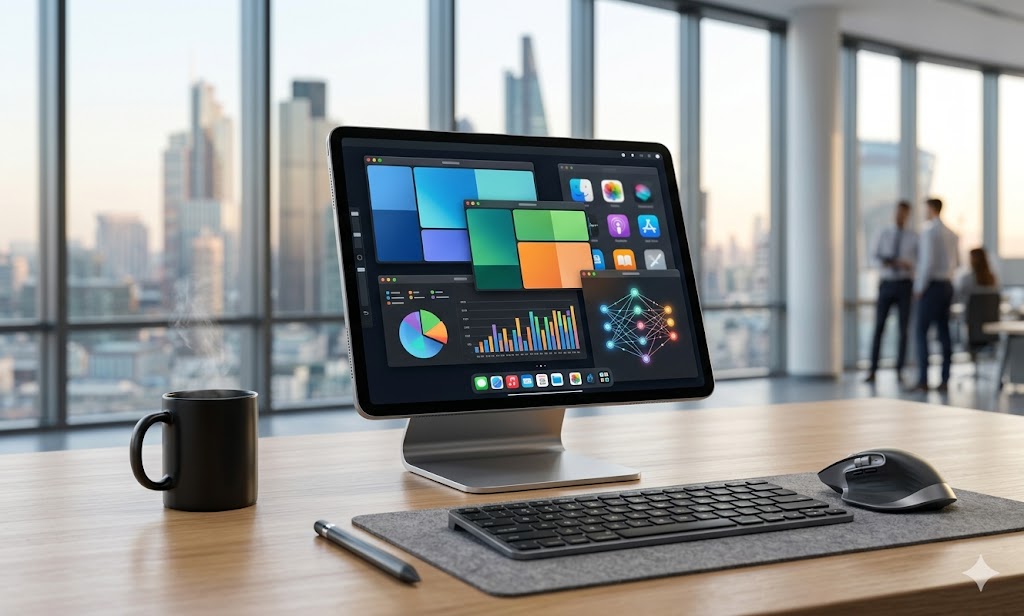
โซลูชัน Cloud PC สำหรับธุรกิจยุคใหม่: เปลี่ยน iPad เป็นเครื่องมือทำงานประสิทธิภาพสูง
Cloud PC Solutions for Modern Business: Transform Your iPad into a High-Performance Workstation
企业级云电脑解决方案:将iPad转化为高性能办公工作站
ในยุคที่ความคล่องตัวคือหัวใจสำคัญของธุรกิจ การพกพาอุปกรณ์น้ำหนักเบาอย่าง iPad เพื่อทำงานในระดับองค์กรไม่ใช่เรื่องไกลตัวอีกต่อไป แต่ความท้าทายคือข้อจำกัดด้านระบบปฏิบัติการและซอฟต์แวร์เฉพาะทางที่ iPad ไม่สามารถรองรับได้โดยตรง การใช้บริการเช่า Cloud PC สำหรับองค์กรจึงเป็นทางเลือกที่ชาญฉลาดที่สุดในการทลายขีดจำกัดดังกล่าว
ทำไมองค์กรควรเปลี่ยนมาใช้ Cloud PC แทนการซื้อคอมพิวเตอร์แบบดั้งเดิม
การลงทุนในฮาร์ดแวร์ราคาสูงให้กับพนักงานทุกคนอาจไม่ใช่วิธีที่คุ้มค่าที่สุดในปัจจุบัน บริการ Cloud PC ช่วยให้พนักงานสามารถเข้าถึง Windows 11 Pro ผ่าน iPad ได้ทันที โดยที่ข้อมูลสำคัญยังคงถูกเก็บไว้ในศูนย์ข้อมูลที่ปลอดภัย หากคุณต้องการทราบถึงเหตุผลเชิงลึกว่าทำไมองค์กรชั้นนำถึงปรับเปลี่ยนรูปแบบการทำงาน ลองศึกษาข้อมูลเพิ่มเติมได้ที่ ยกระดับการทำงานยุคใหม่: ทำไมองค์กรชั้นนำถึงเลือกเช่า Cloud PC เพื่อรัน Windows 11 ซึ่งเป็นหัวใจสำคัญของการทำงานแบบ Hybrid Working ในปัจจุบัน
| ฟีเจอร์ | Cloud PC (Naxza) | คอมพิวเตอร์ตั้งโต๊ะทั่วไป |
|---|---|---|
| ระบบปฏิบัติการ | Windows 11 Pro | Windows 10/11 |
| การเข้าถึง | ทุกที่ทุกเวลาผ่าน iPad/Mac | จำกัดเฉพาะเครื่อง |
| ความปลอดภัย | Data Center (NT/CAT) | ความเสี่ยงจากฮาร์ดแวร์สูญหาย |
| การดูแลรักษา | ดูแลโดยผู้เชี่ยวชาญ | ต้องเสียค่า IT Support |
Pro Tip จากวิศวกร: การเลือกใช้ Cloud PC แบบ Bare Metal 100% จะช่วยให้การรันซอฟต์แวร์บัญชีหรือ ERP ที่ต้องการทรัพยากรเครื่องสูง ทำงานได้เสถียรกว่าการแชร์ทรัพยากรผ่านระบบ Virtualization ทั่วไป
การประเมินความคุ้มค่าและงบประมาณ
สำหรับองค์กร งบประมาณการเช่า Cloud PC เริ่มต้นที่ 800 - 1,500 บาทต่อเดือน ซึ่งถือว่าถูกกว่าการซื้อเครื่องคอมพิวเตอร์สเปกสูงในระยะยาว และยังลดภาระค่าเสื่อมราคาฮาร์ดแวร์ รวมถึงค่าบริการ IT Support ในกรณีที่เครื่องมีปัญหา
คำถามที่พบบ่อย (FAQ)
- ถาม: iPad รุ่นไหนที่ใช้ทำงานบน Cloud PC ได้ดีที่สุด?
ตอบ: iPad ทุกรุ่นที่รองรับแอปพลิเคชัน Remote Desktop สามารถใช้งานได้ แต่แนะนำรุ่นที่มีหน้าจอ 11 นิ้วขึ้นไปเพื่อประสิทธิภาพในการทำงานเอกสาร - ถาม: ข้อมูลจะปลอดภัยหรือไม่หากใช้ Cloud PC?
ตอบ: ข้อมูลทั้งหมดรันอยู่บนโครงสร้าง Data Center มาตรฐานสากลที่ NT (CAT) ปลอดภัยกว่าการเก็บไว้ในอุปกรณ์พกพาที่อาจสูญหาย - ถาม: บริการ Naxza รองรับการรันโปรแกรมเฉพาะทางหรือไม่?
ตอบ: รองรับโปรแกรมบัญชี (Express, ERP) และซอฟต์แวร์ธุรกิจที่รันบน Windows 11 Pro ได้เต็มรูปแบบ
In an era where agility is paramount, carrying a lightweight iPad for enterprise-level work is becoming the standard. However, the limitation of mobile OS remains a hurdle. Enterprise Cloud PC rental services offer the perfect solution to bridge this gap, allowing you to turn your tablet into a fully functional workstation.
Why Enterprises are Pivoting to Cloud PCs
Investing in expensive hardware for every employee is no longer the most cost-effective strategy. Cloud PC services allow employees to access a full Windows 11 Pro environment on their iPads while keeping sensitive data stored securely in a remote data center. For deeper insights into this transition, see our guide on Modernizing Workflow: Why Leading Enterprises Choose Cloud PC for Windows 11.
| Feature | Cloud PC (Naxza) | Traditional Desktop |
|---|---|---|
| OS | Windows 11 Pro | Windows 10/11 |
| Access | Anywhere via iPad/Mac | Fixed location |
| Security | Data Center (NT/CAT) | Physical device risk |
| Maintenance | Managed by Experts | High IT Support cost |
Pro Tip from Engineers: Opting for Bare Metal 100% Cloud PC ensures that resource-intensive ERP and accounting software run with high stability, outperforming traditional shared virtualization environments.
Investment and Budgeting
For enterprises, Cloud PC services typically start from 800 - 1,500 THB per month. This is significantly more cost-effective than purchasing high-spec hardware, reducing depreciation costs and long-term IT support overhead.
Frequently Asked Questions (FAQ)
- Q: Which iPad is best for Cloud PC?
A: Any iPad supporting the Remote Desktop app will work, though 11-inch models or larger are recommended for document-heavy tasks. - Q: Is data secure?
A: Yes, all data resides in a high-security Data Center (NT/CAT), which is significantly safer than storing data on portable devices. - Q: Does Naxza support specialized software?
A: Yes, it supports standard accounting software (Express, ERP) and any application compatible with Windows 11 Pro.
在敏捷办公成为商业核心的今天,iPad作为轻便办公设备已成为趋势,但其操作系统限制了专业软件的运行。企业级云电脑(Cloud PC)租赁服务为解决这一痛点提供了最佳方案,让您的iPad瞬间变身为强大的工作站。
为何企业应转型至云电脑办公
为每位员工购买昂贵的硬件已不再是最佳方案。通过云电脑服务,员工可以在iPad上访问完整的Windows 11 Pro环境,同时确保核心数据安全存储在机房中。欲了解更多企业转型经验,请参阅:现代化工作流:为何领军企业选择云电脑运行Windows 11。
| 特性 | Naxza 云电脑 | 传统台式机 |
|---|---|---|
| 操作系统 | Windows 11 Pro | Windows 10/11 |
| 访问性 | iPad/Mac随时随地 | 仅限物理设备 |
| 安全性 | 数据中心 (NT/CAT) | 设备丢失风险 |
| 维护 | 专家代维 | 高额IT人力成本 |
工程师建议:选择100%物理机(Bare Metal)架构的云电脑,能确保财务软件或ERP系统在运行时具备极高的稳定性,远超传统的虚拟化共享模式。
投资预算分析
对于企业而言,云电脑租赁预算约在每月800至1,500泰铢之间,这远低于购买高性能电脑的初始支出,并能有效摊销硬件折旧及长期的IT维护成本。
常见问题 (FAQ)
- 问:哪款iPad适合连接云电脑?
答:所有支持远程桌面应用的iPad均可使用,建议选择11英寸以上屏幕以提升文档处理效率。 - 问:数据安全性如何?
答:所有数据均存储在具备国际标准的NT (CAT) 数据中心,安全性远高于个人携带设备。 - 问:Naxza是否支持专业软件?
答:支持会计软件(如Express、ERP)及任何可在Windows 11 Pro上运行的企业级应用。
ดีลเด็ดสินค้าไอทีที่ Studio7 💻Best IT Deals at Studio7 💻Studio7 最佳 IT 优惠 💻
ช้อปสินค้า Apple แท้ iPhone, iPad, Mac พร้อมโปรโมชั่นสุดคุ้มTop destination for authentic computers, smartphones & IT accessories.购买正品电脑、智能手机和 IT 配件的首选地。