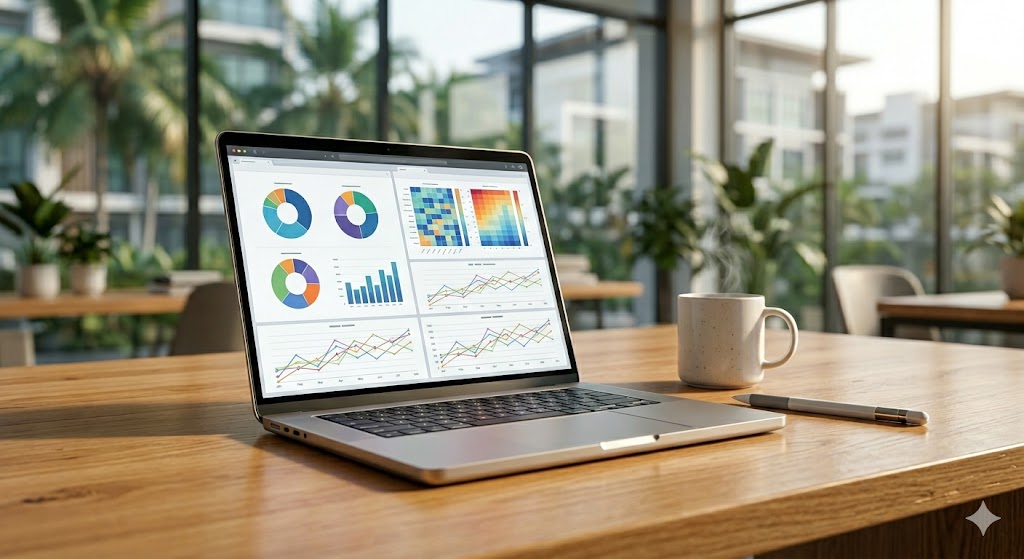
เทคนิคเปลี่ยน Mac ให้รันโปรแกรมบัญชี Express ด้วย Cloud Workstation ประสิทธิภาพสูง
How to Run Express Accounting Software on Mac via High-Performance Cloud Workstations
如何在Mac上运行Express会计软件:高效云端工作站解决方案
ปัญหาคลาสสิกที่หลายธุรกิจ SME ต้องเผชิญคือการใช้เครื่อง Mac ในสำนักงาน แต่ฝ่ายบัญชียังคงจำเป็นต้องใช้งานโปรแกรม Express ซึ่งถูกออกแบบมาให้รันบน Windows เท่านั้น การเปลี่ยนผ่านระบบหรือการซื้อเครื่องคอมพิวเตอร์ใหม่ยกแผนกอาจไม่ใช่คำตอบที่คุ้มค่าที่สุดในยุคปัจจุบัน การเลือกใช้ Cloud Workstation จึงเป็นทางเลือกที่ชาญฉลาดและยืดหยุ่นกว่า
เหตุผลที่ธุรกิจควรย้ายโปรแกรมบัญชีขึ้นสู่ระบบคลาวด์
- อิสระในการทำงาน: พนักงานสามารถเข้าถึงฐานข้อมูลบัญชีได้จากทุกที่ ไม่จำกัดแค่ในออฟฟิศ
- ประหยัดงบประมาณ: ไม่ต้องลงทุนซื้อเครื่องคอมพิวเตอร์ Windows ใหม่ให้พนักงานทุกคน
- ความปลอดภัยระดับสูง: ข้อมูลสำคัญถูกเก็บไว้ใน Data Center ที่มีการสำรองข้อมูลและมีระบบรักษาความปลอดภัยแน่นหนา
นอกจากนี้ หากธุรกิจของคุณกำลังมองหาโซลูชันเพื่อขยายขีดความสามารถด้านไอทีอื่นๆ คุณอาจสนใจ โซลูชัน Cloud PC สำหรับธุรกิจยุคใหม่: เปลี่ยน iPad เป็นเครื่องมือทำงานประสิทธิภาพสูง เพื่อเพิ่มความคล่องตัวให้ทีมงานในระดับสูงสุด
ตารางเปรียบเทียบ: การใช้งานเครื่องทั่วไป vs Cloud PC
| ฟีเจอร์ | คอมพิวเตอร์ตั้งโต๊ะทั่วไป | Cloud PC (Naxza) |
|---|---|---|
| การเข้าถึง | เฉพาะเครื่องที่ออฟฟิศ | ทุกที่ ทุกเวลา (Mac/iPad) |
| การบำรุงรักษา | ต้องดูแลรายเครื่อง | บริการจัดการโดยผู้เชี่ยวชาญ |
| ความเสถียร | ขึ้นอยู่กับฮาร์ดแวร์ | โครงสร้างระดับ Data Center |
| การลงทุน | ค่าเครื่องสูง | เริ่มต้น 800 - 1,500 บาท/เดือน |
คำแนะนำจากวิศวกร (Pro Tip)
การรันโปรแกรมบัญชีผ่านระบบคลาวด์ สิ่งสำคัญที่สุดคือการเลือกผู้ให้บริการที่ใช้ Bare Metal 100% แทนการใช้ Virtual Machine ทั่วไป เพื่อให้ได้ความเร็วในการประมวลผลที่นิ่งและเสถียรที่สุด สำหรับ NAXZA.COM เราให้บริการ Cloud PC ที่รันบน Windows 11 Pro ภายในศูนย์ข้อมูลมาตรฐาน NT (CAT IDC) ให้คุณได้ Public IP แท้ 100% ตอบโจทย์การใช้งานเชิงธุรกิจที่ต้องการความต่อเนื่องตลอด 24 ชั่วโมง
การประเมินงบประมาณการลงทุน
การเช่า Cloud PC มีค่าใช้จ่ายเริ่มต้นเพียง 800 ถึง 1,500 บาทต่อเดือน ซึ่งถือว่าคุ้มค่ามากเมื่อเทียบกับการซื้อ License Windows ใหม่ และการซ่อมบำรุงฮาร์ดแวร์ในระยะยาว เหมาะอย่างยิ่งสำหรับบริษัทที่ต้องการลดรายจ่ายคงที่ (CAPEX) และเปลี่ยนเป็นรายจ่ายผันแปร (OPEX) ที่ควบคุมได้แม่นยำ
คำถามที่พบบ่อย (FAQ)
Q: ใช้ Mac เชื่อมต่อจะหน่วงหรือไม่? A: หากอินเทอร์เน็ตมีความเสถียร การรีโมทผ่าน Cloud PC จะมีความลื่นไหลเทียบเท่าการนั่งทำงานหน้าเครื่องจริง
Q: ข้อมูลบัญชีจะปลอดภัยหรือไม่? A: ข้อมูลถูกเก็บใน Data Center ของ NT ที่มีระบบป้องกันการบุกรุกและสำรองข้อมูลตามมาตรฐานองค์กร
Q: รองรับการต่อเครื่องพิมพ์หรือไม่? A: สามารถตั้งค่า Local Printer เพื่อสั่งพิมพ์งานจากเครื่อง Mac ผ่าน Cloud PC ได้โดยตรง
A common challenge for SMEs is the need to run Express accounting software—which is Windows-native—on Mac-based office environments. Replacing hardware for the entire accounting department is rarely the most cost-effective solution. Adopting a Cloud Workstation strategy provides the flexibility and performance required to maintain business continuity.
Why Move Accounting Software to the Cloud
- Remote Flexibility: Accounting teams can access databases from anywhere, not just the office.
- Cost Efficiency: Eliminate the need for purchasing expensive Windows hardware for every employee.
- Enterprise Security: Data is stored in secure, professional-grade Data Centers with regular backups.
For businesses looking to further optimize their infrastructure, you may find this resource helpful: Enterprise Cloud PC Solutions: Transforming iPads into High-Performance Workstations.
Comparison Table: Local PC vs. Cloud PC
| Feature | Traditional Desktop | Cloud PC (Naxza) |
|---|---|---|
| Accessibility | Office Only | Anywhere (Mac/iPad) |
| Maintenance | Manual On-site | Managed Professional Service |
| Stability | Hardware Dependent | Data Center Grade Infrastructure |
| Investment | High CAPEX | Starts at 800 - 1,500 THB/month |
Engineer's Pro Tip
When running accounting software, performance is key. Choose a provider that offers 100% Bare Metal instead of nested virtualization to ensure consistent performance. At NAXZA.COM, we provide Cloud PCs running Windows 11 Pro, hosted at the NT (CAT IDC) facility, providing 100% real Public IPs for professional, 24/7 business operations.
Investment Estimation
Renting a Cloud PC typically ranges from 800 to 1,500 THB per month. This is highly cost-effective compared to long-term hardware depreciation and software licensing costs, allowing companies to convert heavy initial CAPEX into predictable, manageable OPEX.
Frequently Asked Questions (FAQ)
Q: Will there be latency when using a Mac? A: With a stable internet connection, the remote experience is seamless and comparable to working on a local machine.
Q: Is accounting data secure? A: Yes, data is stored in a tier-one Data Center with enterprise-grade intrusion protection and backup protocols.
Q: Can I connect my printer? A: Yes, local printer redirection is supported, allowing you to print directly from your Mac through the Cloud PC.
对于许多中小企业而言,在Mac办公环境下运行仅支持Windows系统的Express会计软件是一项重大挑战。更换全套办公硬件不仅成本高昂,且效率低下。采用云端工作站(Cloud Workstation)方案,是目前最灵活且经济高效的解决方案。
为何将会计软件迁移至云端
- 远程灵活性: 会计团队可以随时随地访问数据库,不再局限于办公室。
- 成本效益: 无需为每位员工购买昂贵的Windows硬件设备。
- 企业级安全性: 数据存储于拥有定期备份和高级安全协议的专业数据中心。
如果您正在寻求进一步优化企业IT架构,建议参考:企业级云端电脑解决方案:将iPad转化为高效能工作站,以提升团队协作能力。
对比表:传统电脑 vs 云端电脑
| 功能 | 传统办公电脑 | 云端电脑 (Naxza) |
|---|---|---|
| 访问权限 | 仅限办公室 | 随时随地 (Mac/iPad) |
| 维护工作 | 人工维护 | 专业管理服务 |
| 稳定性 | 依赖硬件寿命 | 数据中心级基建 |
| 投资成本 | 高额资本支出 | 每月仅需 800 - 1,500 泰铢 |
工程师专业建议 (Pro Tip)
运行会计软件时,性能是核心。请务必选择提供100% Bare Metal(裸机)而非嵌套虚拟化技术的主机,以确保运行速度与稳定性。NAXZA.COM 提供基于 Windows 11 Pro 的云端电脑,托管于 NT (CAT IDC) 国家级数据中心,为您提供 100% 的真实公网 IP,满足企业级 24 小时连续运行的需求。
投资评估
云端电脑的租赁成本仅为每月 800 至 1,500 泰铢。与长期更换硬件及维护成本相比,这是一种极具性价比的选择,能够将企业的大额资本支出 (CAPEX) 转化为可控的运营支出 (OPEX)。
常见问题解答 (FAQ)
Q: 在 Mac 上连接会有延迟吗? A: 在稳定的网络环境下,远程操作体验流畅,与使用本地机器几乎没有区别。
Q: 会计数据安全吗? A: 数据托管于符合企业安全标准的国家级数据中心,具备完善的防入侵及数据备份协议。
Q: 可以连接打印机吗? A: 支持本地打印机重定向,您可以直接通过云端电脑使用 Mac 连接的打印机进行工作。
ดีลเด็ดสินค้าไอทีที่ Lenovo TH 💻Best IT Deals at Lenovo TH 💻Lenovo TH 最佳 IT 优惠 💻
สั่งซื้อแล็ปท็อปและคอมพิวเตอร์สเปคแรงจาก Lenovo โดยตรงTop destination for authentic computers, smartphones & IT accessories.购买正品电脑、智能手机和 IT 配件的首选地。